

Operations
Part of When to audit SEO tool ownership and reporting routines
A workflow for running an SEO tools cycle without a source register
Run an SEO tools cycle without a source register using audit logs, dated exports and inline notes from Search Console, Ahrefs, Semrush and Looker Studio.
What to take away
- A source register is optional. Tool-native exports, audit logs and inline source notes can carry the same proof.
- Run a monthly cycleagree the question, pull raw exports, reconcile in the report, annotate changes, then publish.
- Name the tool, field, date and owner next to every number. That replaces a register row.
- Five tools cover most needs: Google Search Console, Screaming Frog, Ahrefs, Semrush and Looker Studio.
- Review questions quarterly, not columns. Retire any query no decision used.
Which tools replace a source register?
Google Search Console is free. Its Performance report covers 16 months and exports to Google Sheets or BigQuery. It suits first-party clicks, impressions and query data.
SEO tools at a glance
Search Console
- Cost
- Free
- Best for
- First-party clicks
- Key feature
- 16-month report
Screaming Frog
- Cost
- Free up to 500 URLs
- Best for
- Technical audits
- Key feature
- Saved crawl files
Ahrefs
- Cost
- Paid
- Best for
- Competitor checks
- Key feature
- Backlink index
Semrush
- Cost
- Paid
- Best for
- Content teams
- Key feature
- Content toolkit
Screaming Frog SEO Spider is a desktop crawler. The free version crawls up to 500 URLs, while paid licences start around £199 per year. It suits technical audits and saved crawl files.
Ahrefs is a paid toolset with its own backlink index. Site Explorer shows referring domains and organic keywords. It suits competitor checks where you cannot generate the index yourself.
Semrush is a paid platform for rank tracking, site audits and content briefs. Its content toolkit keeps a brief, target query and review date together. It suits content teams.
Looker Studio is free and connects to Search Console, BigQuery and Google Sheets. It refreshes on a schedule and shows the last refresh time. It suits recurring dashboards with source notes.
Sitebulb is a paid desktop crawler for Windows and Mac. It produces audit reports with issue priorities. It suits agencies that need shareable technical findings.
Microsoft Clarity is free with no traffic limit for session replay and heatmaps. It suits UX checks on indexable templates.
The operations and delivery guide explains how these tools fit a wider delivery cycle. Read it before you agree the workflow.
How do you run the cycle without a register?
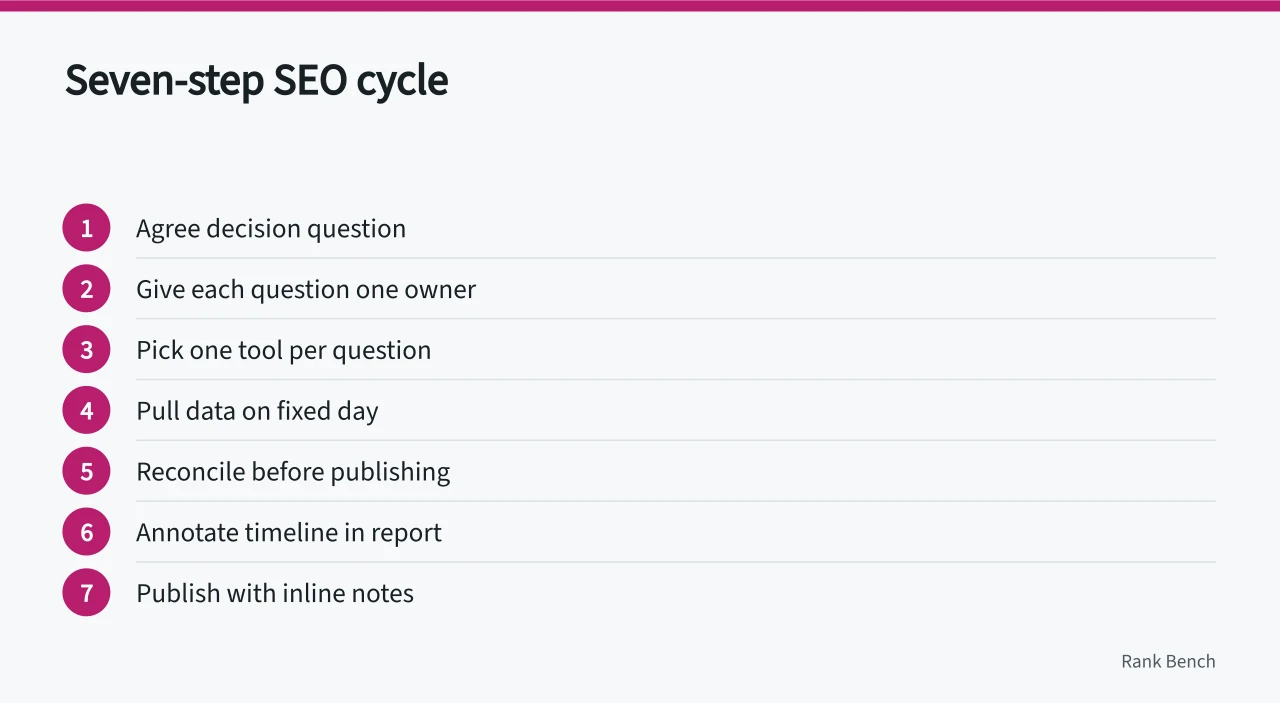
- Agree the decision question at the start of each quarter. Keep the list short enough to check by hand, usually under a dozen.
- Give each question one owner. Owners follow the question, not the tool, so a licence change does not strand the check.
- Pick one tool per question. Use that tool's saved project, export history or audit log instead of a separate register.
- Pull data on a fixed day. Save the raw export, unedited, in a dated folder with the tool name and query.
- Reconcile before publishing. Where a vendor figure and your analytics disagree, show both and state the gap.
- Annotate the timeline in the report. Record releases, migrations and campaign starts, because a chart without them invites false conclusions.
- Publish with inline notes. Readers should see the tool, field and date next to every number.
If a release or migration puts pressure on your servers, follow Google's guidance on how to reduce crawl rate instead of blocking the crawler outright.
Which checks keep the numbers usable?
Watch server response times during releases. A slow site changes what the crawler collects and how much of it, which changes the figures you report. Use logs or PageSpeed Insights to spot it.
Page templates need clear headings, readable URLs and a phone-friendly layout. The design guidance in the GOV.UK service manual is a published standard. Point developers at it when indexable pages are rebuilt.
Re-check content quarterly against the query it was written for. Use the content toolkit such as Semrush's to keep the brief, target query and review date together.
Where a vendor figure cannot be verified, the service standards for data and sources set out how to record the gap and what to tell anyone reading the report.
Who owns the cycle each month?
One named person owns the evidence folder and the published notes. This is usually the delivery lead rather than a tool administrator. A second person spot-checks two exports a month and initials the check.
Each quarter the owner retires questions no decision used. They add any new question the team has started quoting. Without that habit the folder becomes a dumping ground. The workflow falls back on screenshots.
Common questions
Do we need a source register?
No. A register is one way to store provenance. Tool export timestamps, saved raw files, revision history and inline source notes can do the same job. The test is simple. Can a reader trace each number to a tool, field and date?
How often should the workflow change?
Change questions when the underlying decision changes. A vendor field rename is a note in the report, not a new workflow item.
What if two tools disagree on the same metric?
Publish both with their sources and dates. Choose one as the reporting standard for that quarter and record the reason in the report notes.
Can a small team run this without paid tools?
Yes. Google Search Console, Google Analytics 4, server logs and a spreadsheet cover most needs. Paid tools help where you need competitor index data you cannot generate yourself.
How do we prove a number six months later?
Use tool export timestamps, dated raw files and revision history in Looker Studio or Google Sheets. If a vendor tool purges data, export before the retention limit. Google Analytics 4 retention can be set to 14 months, for example.